mike476
-
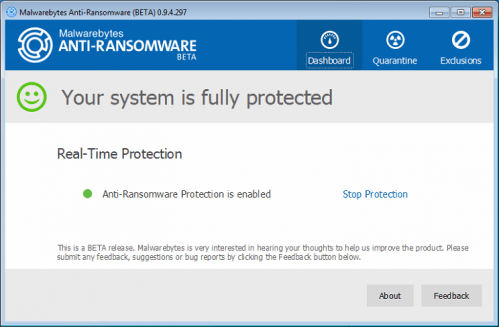
Malwarebytes Anti-Ransomware v0.9.5.304 Beta 2 | 35.8 MiB
Realtime ransomware protection.
This software is extremely exciting as it introduces the most innovative approach in the market today for protecting against ransomware; a completely proactive and signature-less technology that is able to detect and block even the most dangerous of ransomware variants like CryptoWall4, CryptoLocker, Tesla, and CTB-Locker. -
Malwarebytes Anti-Ransomware v0.9.4.299 Beta | 35.8 MiB
Realtime ransomware protection.
This software is extremely exciting as it introduces the most innovative approach in the market today for protecting against ransomware; a completely proactive and signature-less technology that is able to detect and block even the most dangerous of ransomware variants like CryptoWall4, CryptoLocker, Tesla, and CTB-Locker. -
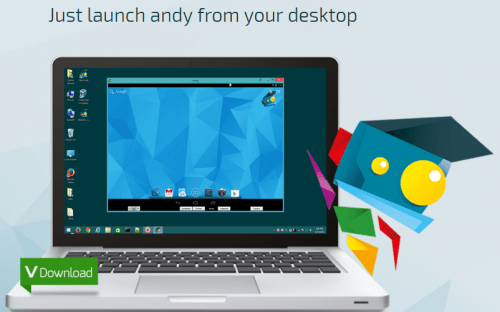
AndY OS Android Emulator v0.46.2.40 | 431.6 MiB
Use AndY to emulate Android v4.2.2 "Jelly Bean" on your Windows desktop.
This utility brings Android to Windows so you can run apps, play games, and more. -
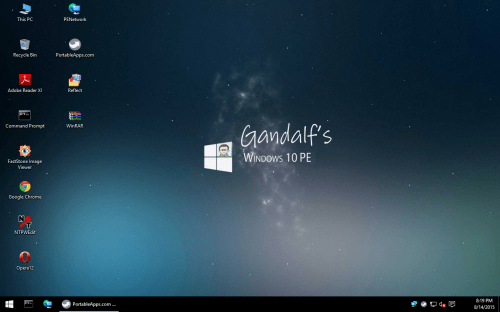
Gandalf's Windows 10 PE Version 1511 Build 10586 | 2.25/2.81 GiB
System Rescue Boot USB Stick. If you’re looking for a pre-built Windows PE, look no further and just use Gandalf’s Windows PE because it is packed with many useful programs. It has a desktop, explorer, start menu, compression tools, image viewer, hard drive tools, video player, remote access tools, anti-malware such as ClamWin and Malwarebytes, and many more.
-
Cumulative Update for Windows 10 Version 1511: KB3124263 (January 12, 2016) | 184/325 MiB
This update includes improvements to enhance the functionality of Windows 10 Version 1511.
-
AndY OS Android Emulator v0.46.2.25 | 430.4 MiB
Use AndY to emulate Android v4.2.2 "Jelly Bean" on your Windows desktop.
This utility brings Android to Windows so you can run apps, play games, and more. -

Remix OS for PC v2.0 (2016011201; release date: January 12, 2016) Alpha | 692,15 MiB
Remix OS for PC: Android v5 Lollipop re-engineered for installation on your computer.
Remix OS for PC is a new operating system based on the famous Android-x86 that aims to bring the Android system to the PC platform. -
AntiSpy Package for Windows 10 v1.4 | 6.78 MiB
AntiSpy tools for Windows 10
-
Windows Desinfector v3.0 [Deutsch/German] | 12.9 MiB
Windows Desinfector by PC Magazin.
Wenn Sie Programme installieren und im Web surfen, schleusen sich unbemerkt Schadprogramme, Dienste, Trojaner und unerwünschte Browser-Erweiterungen ein. Der aktualisierte Windows Desinfector erkennt und beseitigt nervige Programme. -
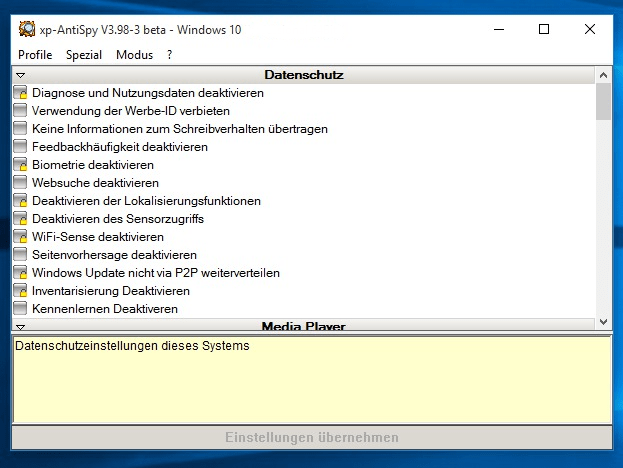
xp-AntiSpy v3.98-3 Beta 2 [Deutsch/German] | 440 KiB (0.43 MiB)
AntiSpy Tool, kompatibel mit Windows XP, Vista, 7, 8/8.1 und 10
-

GWX Control Panel v1.7.0.1 (Installer + Portable) | 2.3/4.3 MiB
Use GWX Control Panel (formerly known as GWX Stopper) to permanently remove the "Get Windows 10" icon.
GWX Control Panel can be used to configure and exit the “Get Windows 10” system tray application which continually pops up on computers that are still running Windows 7, Windows 8 or Windows 8.1. GWX Control Panel really works, is safe and easy to use, and gives you the option to re-enable the icon and upgrade notifications if you're ever ready to move forward with Windows 10. -

G Data Clean Up v1.0.15350.689 [Deutsch/German] | 16.3 MiB
Befreien Sie Ihren Computer mit G Data Clean Up von Adware, Toolbars und Plug-ins.
-
Cumulative update for Windows 10 Version 1511: KB3124200 (December 17, 2015) | 168.7/299.9 MiB
This update includes improvements to enhance the functionality of Windows 10 Version 1511.
-
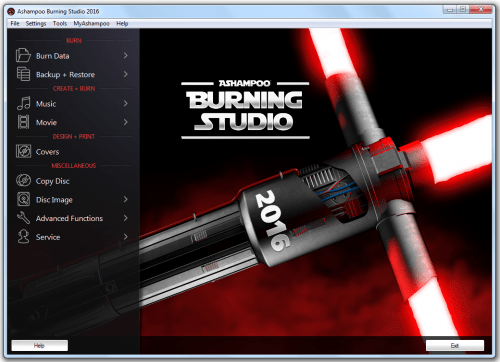
Ashampoo Burning Studio 2016 - Star Wars Edition | 67.1 MiB
The one-stop solution for your disc recorder: The new Ashampoo Burning Studio 2016 burns data, movies or music to any CD, DVD or Blu-ray disc. Burn everything from simple data discs and music to highly complex movies.
-

VoodooShield v2.86 Free | 4.4 MiB
Stop all viruses with VoodooShield.
Your antivirus is a filter, VoodooShield is a computer lock. -
G Data Clean Up v1.0.15337.911 [Deutsch/German] | 16 MiB
Befreien Sie Ihren Computer mit G Data Clean Up von Adware, Toolbars und Plug-ins.
-
Cumulative update for Windows 10 Version 1511: KB3116908 (December 2, 2015) | 132.5/230.6 MiB
This update includes improvements to enhance the functionality of Windows 10 Version 1511.
-
WinRAR v5.30 [Deutsch/German] | 4.11 MiB
Erstellen/Packen, öffnen und entpacken von RAR- und ZIP-Dateien.
-
GWX Control Panel v1.6.0.0 (Installer) | 2.28 MiB
Use GWX Control Panel (formerly known as GWX Stopper) to permanently remove the "Get Windows 10" icon.
GWX Control Panel can be used to configure and exit the “Get Windows 10” system tray application which continually pops up on computers that are still running Windows 7, Windows 8 or Windows 8.1. GWX Control Panel really works, is safe and easy to use, and gives you the option to re-enable the icon and upgrade notifications if you're ever ready to move forward with Windows 10. -
AntiSpy Package for Windows 10 v1.3 | 6.71 MiB
AntiSpy tools for Windows 10