Unity - MK Toon - Stylized Shader v3.0.6
This post was published 5 years ago. Download links are most likely obsolete. If that's the case, try asking the uploader to re-upload.
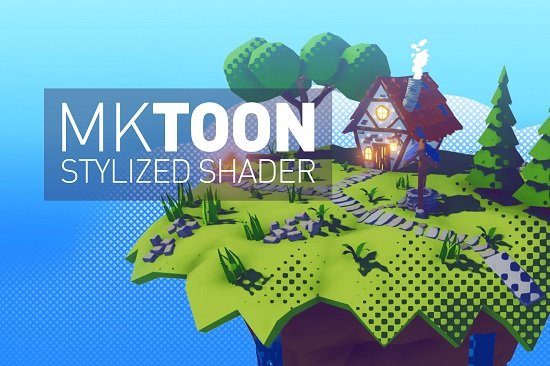
Requirement: Unity 2019.4.16 or higher | File size: 162 MB
MK Toon is an artist-friendly and feature-rich stylized shader, which is able to achieve very customized non-photorealistic visuals.
The shader follows a physically based input to create a local antialiased & stylized output. This shader is compatible with the Builtin, Lightweight, and Universal Render Pipelines. The package includes standard and particles shader variations.
Included Tools
Install Wizard: Fast setup even on scriptable Render Pipelines.
Mesh Utility: Create new meshes with smoothed normals to achieve better outlines.
Ramp Creator: Allows you to create 1D ramp textures based on a set gradient.
Texture Channel Packer: lets you create a new texture based on four inputs. This way you can combine different color channels of different textures into a new one.
Material Upgrader: lets you upgrade MK Toon materials, which were created using Built-in Render Pipeline to LWRP or URP.
Features
Physically based properties: Artists are able to maintain their physically based metallic, specular or roughness workflow. Physically based input => Stylized output.
Lighting Styles: Builtin, Cel, Banded and Ramp modes are available to completely customize the lighting.
Artistic: To style lighting even further there are three artistic modes available: Drawn, Sketch and Hatching. Every of them can be projected onto the object in tangent space or a screen space.
Normal Mapping: Seamlessly integrated normal mapping into the stylized lighting.
Parallax Mapping: Approximated parallax mapping can be used to enhance the normal mapping.
Specular: Isotropic and anisotropic specular are possible.
Diffuse: Lambert (default), Oren Nayar(takes the roughness of the surface and the view angle into account.) and Minnaert ( Lighting adds some darkening limbs based on the view angle. Good for things like fabric) diffuse shading is available.
Occlusion: Two way occlusion to control the direct and indirect light occlusion.
Emission: Every material can be emissive.
Detail: Details maps are able to add a detail layer on top of the albedo input using a mixed, additive or multiplied behavior. Even detail normals are possible.
Gooch: Fully control the bright and dark areas of your object by interpolating between specific colors based on the lighting condition.
Rim: Rim Lighting is based on the fresnel effect. Outer areas of the Material will be highlighted.
Iridescence: Adds a Iridescence effect on top of the surface. Based on the viewing angle, areas will change color gradually.
Color Grading: Controls how the contrast, saturation and brightness is applied.
Dissolve: Dissolves the surface based on a given pattern.
Vertex Animation: The Vertex Animation offers three generic animations, which are computed on the shaders side (no additional setup required).
Light Transmission: Light will pass through the object and defines how (Subsurface or Translucent) it passes through.
Particles: Customize particles like the default geometry.
Stencil: Fully controllable stencil buffer.
Refraction: Creates a refracted look for geometry behind the surface.
Outlines: Based on the 3 outline modes tweaked towards pixel perfection. Even and uneven outlines are possible.
Stutter: Vertex Animations and Artistic features can stutter to simulate a redrawn effect.
Custom Editor: Easy to use inspector tweaked towards artists to combine each feature and create an unique style.
XR: VR and AR compatible.
Vertex Colors: Vertex colors are automatically used if no albedo map is set.
Homepage
Quick check before we show the links
Helps us keep automated scrapers from hammering the filehosts.