Sav PDF Viewer Pro - Read PDFs v1.17
Requirements: Android 5.0+ | Size: 44.5 MB
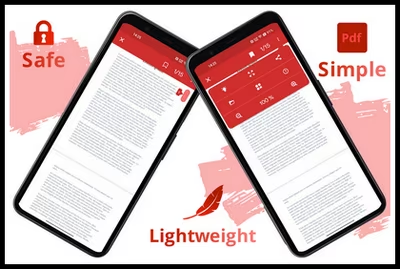
View all PDF files in a simple way
- The app is safe, in fact it doesn't require any permissions!
- It saves automatically saves the last position for each file
- You can create bookmarks and manage them
- The app can open PDFs protected by password
- The Night light to protect your eyes is available
- The app is open-source and available on GitHub
- Instagram account
What's New
- Added "search" feature (in the menu panel)
- Fixed some bugs
Paid Info
● Supported Languages: af, am, ar, as, az, be, bg, bn, bs, ca, cs, da, de, el, en-AU, en-CA, en-GB, en-IN, en-XC, es, es-419, es-US, et, eu, fa, fi, fr, fr-CA, gl, gu, hi, hr, hu, hy, in, is, it, iw, ja, ka, kk, km, kn, ko, ky, lo, lt, lv, mk, ml, mn, mr, ms, my, nb, ne, nl, or, pa, pl, pt, pt-BR, pt-PT, ro, ru, si, sk, sl, sq, sr, sr-Latn, sv, sw, ta, te, th, tl, tr, uk, ur, uz, vi, zh-CN, zh-HK, zh-TW, zu;
● Supported Cpu Architecture: Armeabi-v7a, Arm64-v8a, X86, X86_64;
● Supported Screen Dpi: Ldpi, Mdpi, Tvdpi, Hdpi, Xhdpi, Xxhdpi, Xxxhdpi.
● Untouch Paid Apk With Original Hash Signature.
● Certificate MD5 Digest: 9a1c388b47f8197b3521b5a47eff6230.
.Apks Bundle Installation
SAI Instructions:[No Root]
1. Download And Install Latest SAI App (Split APK Installer) -https://github.com/Aefyr/SAI/releases
2. Download this .apks Archive App;
3. Install And Open SAI / Choose "Install APKs" Button / Find And Select Downloaded .apks Archive App;
4. Wait For Install And Done. Enjoy!.
Lucky Patcher Instructions:[No Root]
1. Download And Install Latest Lucky Patcher App;
2. Install And Open Lucky Patcher And Choose 'Rebuild & Install';
3. Find And Select Downloaded This .apks Archive App;
4. Wait For Install And Done. Enjoy!.
PS: Make Sure After Open SAI or Lucky Patcher You Allowed Storage Permission And Install Unknown Apps Permission!
Quick check before we show the links
Helps us keep automated scrapers from hammering the filehosts.