DriveHQ FileManager 6.0 Build 968 (x86/x64)
This post was published 10 years ago. Download links are most likely obsolete. If that's the case, try asking the uploader to re-upload.
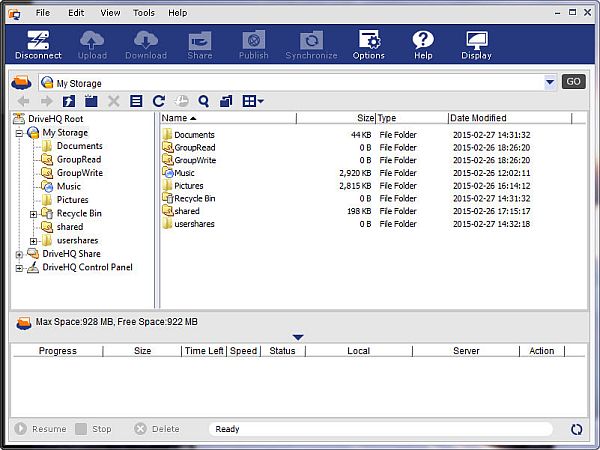
DriveHQ FileManager 6.0 Build 968 (x86/x64) | 20.6/21.9 Mb
DriveHQ FileManager is a Windows Explorer-like desktop application that seamlessly integrates the web-based file storage and sharing system to users' local file system, making Internet file management as easy as managing the local file system. It is a convenient application that gives users the chance to download, upload, share and backup files/folders online.
DriveHQ FileManager is designed to greatly enhance the web-based File Storage and Sharing features available on DriveHQ.com. It works just like Window Explorer. Not only it can manage local files, but also it can manage files on DriveHQ.com with the familiar Windows Explorer-like user interface.
It supports many advanced file-transfering technologies, such as compressed transfer, secure transfer with SSL, resume interrupted transfer, local file caching, etc. Drag-n-drop files/folders from/to Windows Explorer is also supported.
New in version 6.0 Build 968 (September 02, 2015)
• Support file versioning. It is extremely useful in group sharing and collaboration. You can recover an old version file when needed;
• Support remote "Recycle Bin" folder; when turned on, deleted files / folders are automatically moved to the "Recycle Bin" folder, which is then emptied in about 7-14 days;
• Automatically backup files / folders that are "automatically" deleted by the Folder Synchronization feature; in case of accidental deletion in a sync-ed folder, you can still restore the "auto-deleted" files / folders. The files / folders are backed up to the _Sync_cache_ folder, which is automatically emptied in 7-14 days.
• Search local and remote files / folders;
• More seamless integration with Group Account management and contact groups;
• More reliable and efficient; bug fixes, etc.
OS: Windows XP/Vista/7/8/8.1/10 (32-Bit/64-Bit)
Download
Uploaded - x86
Uploaded - x64
Mirror
Rapidgator - x86
Rapidgator - x64
Mirror
Turbobit - x86
Turbobit - x64
__ __ __ __ __ __ __ __ __