Portable Video Booth Pro 2.7.4.2
This post was published 10 years ago. Download links are most likely obsolete. If that's the case, try asking the uploader to re-upload.
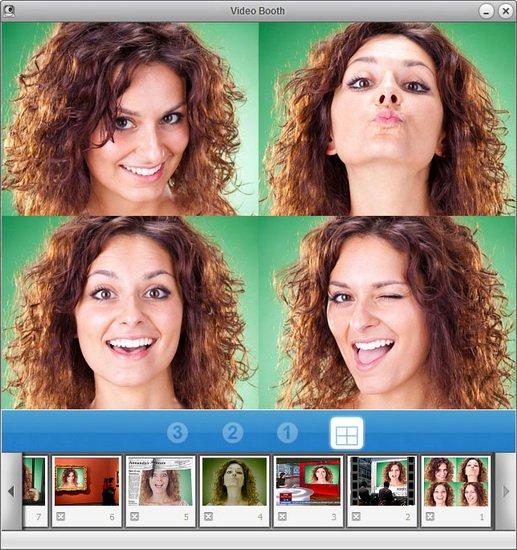
Portable Video Booth Pro 2.7.4.2|Windows(x86/x64)|rar|39.9 mb
Take fun photo snapshots and video clips easily with your webcam using Video Booth. Add built-in smart effects to your photos and videos to make them fantastic and magnify the fun of sharing with friends as you can upload your works to website or YouTube directly.
Attention!
Dear users! We do not forget about our rights holders!
All portable assembly, designed exclusively for the promotion of the software and can be used for informational purposes only!
After testing the program and decide on the usefulness and necessity of you, this software - you are required! remove the assembly and turn to the developer, to purchase a license for a full version. Good luck!
Take snapshots - capture your special look easily.
Video Booth makes it easy to take snapshots with your built-in or computer-connected cameras. Just launch this application, locate images, and click. Take a single picture or take four pictures in succession using the “Continuous Shooting” mode which makes your pictures more special. Before photo is snapped, Video Booth flashes your screen to let you know that it is taking the last display showing in the main window.
Record video clips smoothly and stably.
With Video Booth, recording video clips by your webcam is fairly easy, just clicks away. What more importantly is that the video clips captured by Video Booth are very smooth and stable. Effects can be added to your video and make it more fun to upload to YouTube and to share with your family and friends.
How about adding some effects and see how fascinating it could be.
Using the effects to transform your look, make your smiles fantastic or freaky. Snap a picture of yourself in outer space, or take a walk in a beautiful fall woods. Start your journey of fun with all these effects offered by Video Booth which work perfectly for snap shooting and video recording.
Why Video Booth?
• Take snapshots and video clips quickly and easily with your webcam.
• Classic, artistic, amusing effects and backdrops make your pictures and videos unique.
• Take 4 quick pictures in succession.
• Directly upload snapshots and video clips to Facebook for sharing.
• Works with all digital cameras and systems.
• Sharing is easy, sharing is fun.
NEW
• Export your brilliant photos and videos from Video Booth.
• Guarantee
• Share fun with more people in more places.
• Get more fantastic effects.
• Instant SN delivery via email after your order is successfully placed.
• Lifetime support and free updates.
• 30-day money-back guarantee.
• Your individual information is highly respected and secure.
Homepage
System Requirements
IBM or compatible Pentium/AMD processor (900 MHz or greater), 512 MB RAM or greater. 1024 x 768, 16-bit display (32-bit recommended)
Windows XP, Windows Vista all SP, Windows 7, Windows 10
Language Multilanguage(Russian)
Download :Portable (Size:39.9 mb)