Portable Aeon Timeline 2.1.3
This post was published 9 years ago. Download links are most likely obsolete. If that's the case, try asking the uploader to re-upload.
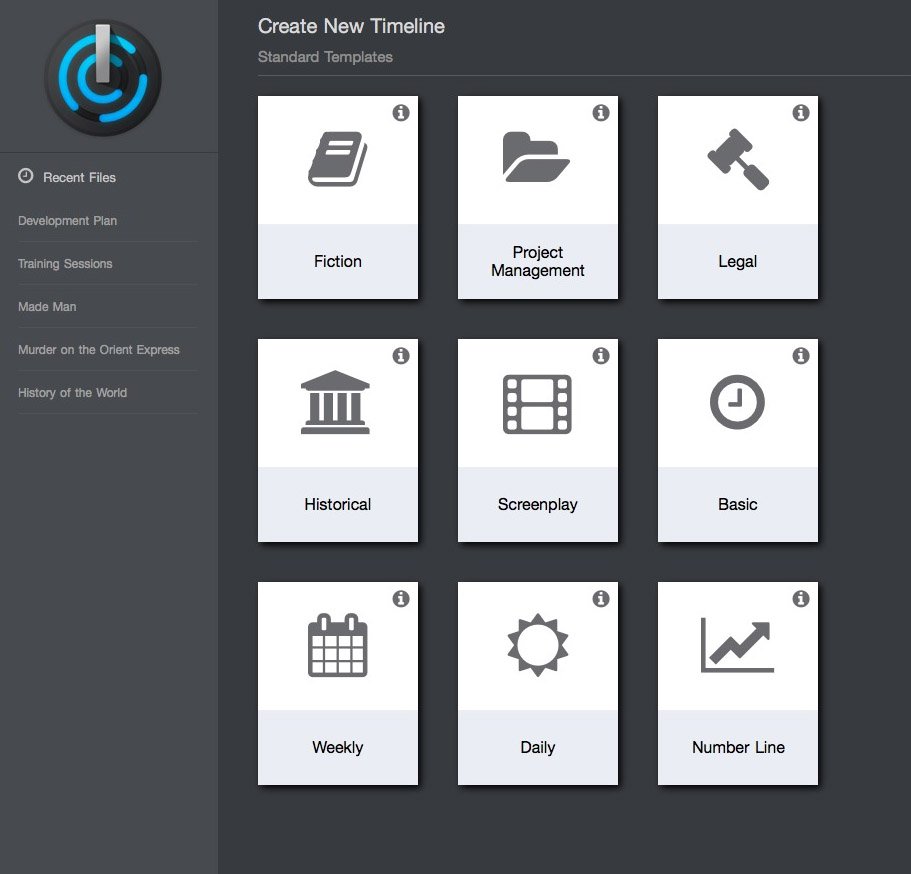
Portable Aeon Timeline 2.1.3|Windows(x86/x64)|rar|103 mb
Aeon Timeline is the timeline tool for creative thinking.
Attention!
Dear users! We do not forget about our rights holders!
All portable assembly, designed exclusively for the promotion of the software and can be used for informational purposes only!
After testing the program and decide on the usefulness and necessity of you, this software - you are required! remove the assembly and turn to the developer, to purchase a license for a full version. Good luck!
Work on Windows 10 is POSSIBLE, BUT NOT GUARANTEED!
Most traditional timeline applications are designed to suit a single need: to create an attractive display of one- dimensional time. They are presentational, static, and perfectly suited to overhead slides and projectors.
More than just a timeline
Track all the information that matters
Aeon Timeline is more than a series of events on a never ending line. With Aeon, you can divide your timeline into logical groups, projects, or concurrent arcs. You can model the relationships between events and people, places and ideas. Aeon calculates people's ages for you. And you can link your events with research material such as external files or images that can be displayed inside the application.
Ultimate Flexibility
Configure timelines to suit your needs
Select the timeline style you want, from standard events with fixed dates to relative dates counting hours, days, or weeks from a nominal zero. Decide what precision you want to use for each event, from complete date/time down to an entire year. And if the standard calendars are not enough for you, you can create your own custom Fantasy Calendars and define your own eras, months, and weekdays.
Direct Data Manipulation
Add, drag and edit events on-the-fly
We care about how you use the timeline, not just how it looks. Most timeline applications are static tools designed for presentation rather than creation. With Aeon, you can navigate your timeline, add events with a double click, and then drag them around the timeline or between arcs with ease. Text can be edited in-place directly on the timeline, and images can be added to events via drag and drop.
Hide Complex Data
Focus on what is important to you now
The only thing more important than capturing all of your complex data is not letting it distract you from your current task. With Aeon, you can filter events according to people, places, arcs, labels and tags. Zoom out to a wide view of your whole timeline, or zoom in to view the time scale you are currently working on. The Context Bar at the bottom will ensure you never get lost.
Data Interoperability
Import, export, print and synchronize
We know that your timeline is a tool to help you in another task, be it writing a novel, planning a project, or researching a case. Printing and image exporting allow you to capture your entire file, or just what is visible on the screen. Our text-based importing and exporting allows you to move data into and out of other applications. And for writers, Aeon Timeline can sync your timeline data directly with your Scrivener 2 project.
Features
Events, Relationships, Groups and more
Whether you are writing a novel, managing a project, or researching a legal case, Aeon Timeline 2 has the tools to ...
Context and Focus
Aeon Timeline 2 has the tools to help keep you focused on what matters while retaining broader context when required. Nested ...
Easy Navigation
All the ways you can zoom, scroll and search your timeline to find the information you need quickly. Zoom Aeon Timeline ...
Complete Flexibility
Aeon Timeline 2 is flexible to your needs, with pre-configured and customizable templates, fantasy calendars, and multiple display options. Pre-configured Templates ...
Data Exchange
Importing CSV, exporting images, syncing with Scrivener and publishing timelines on the web - tools to help move your data around. ...
NEW
• More consistent date range formats (including time components), and better observation of date precision (1 Aug 2016 will no longer round to Aug 2016)
• Fixed bug applying entity creation offsets from start or end of event
• Protected against crash dragging events between lanes
• Fixed crash when creating a custom calendar with a single month
• Fixed bug in custom calendar interface where collapsing and expanding groups can display old values
• Fixed crash when importing from some CSV files where end date is last column and sometimes absent
• Added ability to type million/billion into the date picker when entering a date (still converts to full value afterwards at present)
• Protected against crash dragging events between lanes
• Time now displayed if relevant when dragging events to a new date
• Fixed issue in Scrivener syncing where file can become corrupted if an entity is added to the wrong metadata field within Scrivener itself (e.g. if entering a person’s name into the arc field)
• Aeon Timeline can now successfully open timelines corrupted by above bug
• Fixed bug where system date formats including dashes (dd-mm-yyyy) were not read correctly when typed into date picker
• Scrivener syncing: Prevent yes/no properties from syncing with Scrivener Label or Status
• Fixed bugs where tag list in Filter bar may not populate correctly for timelines originally imported from version 1
• Fixed potential hang caused by creating impossible dependency loops with parents/predecessors
Homepage
System Requirements
IBM or compatible Pentium/AMD processor (900 MHz or greater), 512 MB RAM or greater. 1024 x 768, 16-bit display (32-bit recommended)
Windows XP, Windows Vista all SP, Windows 7, Work on Windows 10 is POSSIBLE, BUT NOT GUARANTEED!
Language English