Harrison Mixbus v4.2.74
This post was published 8 years ago. Download links are most likely obsolete. If that's the case, try asking the uploader to re-upload.
File size: 191.4MB
Rediscover the Art of Mixing
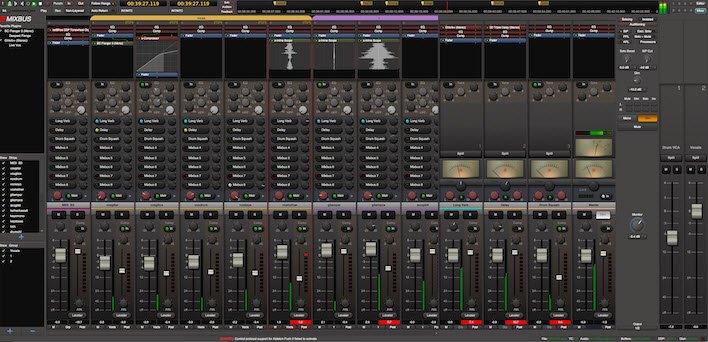
With dozens of DAWs to choose from, thereʼs only one thatʼs designed to work like a Harrison, with an analog paradigm that embodies form, function, and sound. Where other DAWs use a computer paradigm, MIXBUS grows from Harrisonʼs distinguished 40-year heritage of platinum records and blockbuster films, such as Thriller, Graceland, and Spider-Man. MIXBUS is the first full-featured DAW with true analog style mixing.
Mixbus provides professional-level features to import or record an unlimited number of audio or MIDI tracks to your computer; then edit, mix and master your production.
Harrison Consoles has updated Mixbus and Mixbus32C to version 4.2
Improved "New Session" dialog
When creating a new session, you may select from a list of your session templates directly from a list, while viewing a description of the selected template.
Once you've selected a template, an included script can prompt you for further input to accelerate the new session process.
Improved "New Track" dialog, with scriptable templates
The "New Track" dialog has been redesigned to provide direct access to your track templates as well as some new factory presets.
Like the "New Session" dialog, there's a description for each selection, and your templates appear in the same list so you can access them more easily.
Track templates can be created by right-clicking on a mixer strip and choosing "save as template". But you can also create a Lua Script that prompts the user for more information and then creates, or edits, the tracks that you need for your session.
It is now much faster to add a mix of tracks without closing & re-opening the dialog.
Like session templates, the new track templates can have a scripted element that prompts you for additional input before adding the new tracks.
Advanced users can write their own Lua scripts which can add plugins, change settings, assign routing & groups & VCAs...
New "Patch Selector" dialog for multitimbral MIDI synths
The new patch selector allows point&click access to 128 patches, and it can automatically audition your synth's sound when you click a new preset. This feature works for the included General MIDI Synth and a-Fluid Synth soundfont players, as well as external MIDI synthesizers which have a patch map file.
Homepage
Quick check before we show the links
Helps us keep automated scrapers from hammering the filehosts.