BB FlashBack Pro 5.59.0.4764 Portable
This post was published 2 years ago. Download links are most likely obsolete. If that's the case, try asking the uploader to re-upload.
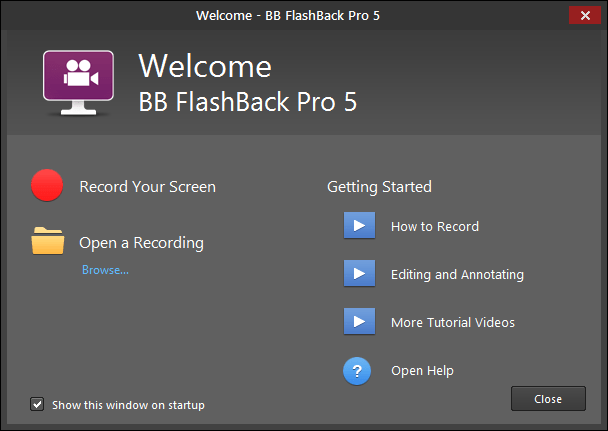
BB FlashBack Pro 5.59.0.4764 Portable|Packed in VMware ThinApp|Windows(x86/x64)|rar|79.1 mb
BB FlashBack is an easy-to-use application that captures all Windows desktop activity to a movie, recording exactly what you see on your PC.
Attention!
Dear users! We do not forget about our rights holders!
All portable assembly, designed exclusively for the promotion of the software and can be used for informational purposes only!
After testing the program and decide on the usefulness and necessity of you, this software - you are required! remove the assembly and turn to the developer, to purchase a license for a full version. Good luck!
Work on Windows 10 is POSSIBLE, BUT NOT GUARANTEED!
Release Notes
BB FlashBack is an easy-to-use application that captures all Windows desktop activity to a movie, recording exactly what you see on your PC. It comes complete with a built-in editor that allows you to annotate movies with text and record a spoken commentary. Publisher edition can export to Flash and AVI formats so movies can be embedded in web pages and documents. Desktop edition includes a simple 'Send Report' function that attaches the last few minutes of screen activity to an incident report mail. High performance technology means recording runs in the background and is almost undetectable on modern PCs. Uses include PC support and software demonstration or tutorial creation.
BB FlashBack Pro is a complex program designed to help you make video recordings of your screen as well as process clips. It can be used to create video tutorials or animations, for instance. The interface of the tool is clean and intuitive. So, you can record video (full screen, region or window), sound and footage from the webcam. Once the recording is done, you can open it in the tool's media player and start processing it.
Get Your Point Across
Create engaging movies by adding text, sound and images to your screen recording. Make sure your audience doesn't miss a thing with easy-to-use Zoom-Pan and AutoScroll effects. Create polished tutorials and presentations with the help of powerful editing functions. Do it the easy way with BB FlashBack screen recorder.
Simple Sharing
Its never been easier for everyone to see your movies. BB FlashBack screen recorder shares with FlashBack Connect or Youtube to display your movies on all devices.(FlashBack Connect is currently in Beta, and available only to Pro and Standard edition purchasers)
Flexible Publishing
Reach the widest possible audience. BB FlashBack screen recorder exports to AVI, Flash, QuickTime, MP4 (compatible with iPod/Pad/Phone), GIF, WMV, EXE and PowerPoint. You decide how your screen recording will be presented. Full control over sound and video quality and filesize. Full playback controls in Flash and EXE exports.
Full-Featured Recording
BB FlashBack screen recorder uses a number of different recording technologies to get the best from PCs old and new.Capture online events unattended with scheduled recording. Make notes at record-time and edit them in playback. Record indefinitely and limit the file size by keeping only the last few minutes.
Webcam Recording and Picture-in-Picture Video
Give your presentations the personal touch with webcam video. The BB FlashBack screen recorder records from your webcam while it records your screen. Easy. You can also import video files as picture-in-picture video.
Powerful Editing (Pro Edition only)
Take your tutorials and presentations to the next level with the most powerful editing functions of any screen recorder. BB FlashBack lets you fine-tune your movies, editing multi track sound and video side-by-side. The ability to undo and redo changes means you can experiment with confidence.
Localization Features
BB FlashBack comes with features to enable easy localization of your screen recordings.Export text to files ready for translation. Import translated text to create multiple languages in one movie file. Select which language to play, share and export to video.
Release New
v5.59 : June 2023
Added support for h265 encoded MP4s when inserting videos.
Fix: Some progress bars may not animate.
Fix: Incorrect position for the Player’s File menu.
Homepage
System Requirements
- Restrictions: It does not correspond to the tablet mode.
- CPU: Intel® Pentium 4 or later / AMD Athlon 64 or later (900 MHz or greater)
- (64bit support recommended)
- Memory: 4GB or more (Recommend 8GB or more)
- HDD: 10GB or more of free disk space
- Display: XGA (1,024x768), Full Color (24 bit or higher), 16-bit display (32-bit recommended)
Windows XP, Windows Vista all SP, Windows 7, Work on Windows 10 is POSSIBLE, BUT NOT GUARANTEED!
Language Multilanguage(Russian English)
Quick check before we show the links
Helps us keep automated scrapers from hammering the filehosts.