Xtractpler 3.6.3
File size: 184.7 MB
The Fastest Way to Build Professional Sample Libraries Just Got a Whole Lot Smarter. From any instrument — hardware, software, or live — to a fully mapped, loop-ready sample library in minutes. With pristine 32-bit / 96 kHz fidelity and one-click export to 12+ professional formats.
What's New in v3.6
The most significant leap in Xtractpler's history — addressing every real-world friction point that serious sound designers encounter.
Tail Parameter
Never lose a reverb decay or pad release again. Set per-row tail capture time so sharp snares and lush pads coexist in the same session — your samples will breathe naturally.
Real-Time Stereo Waveform
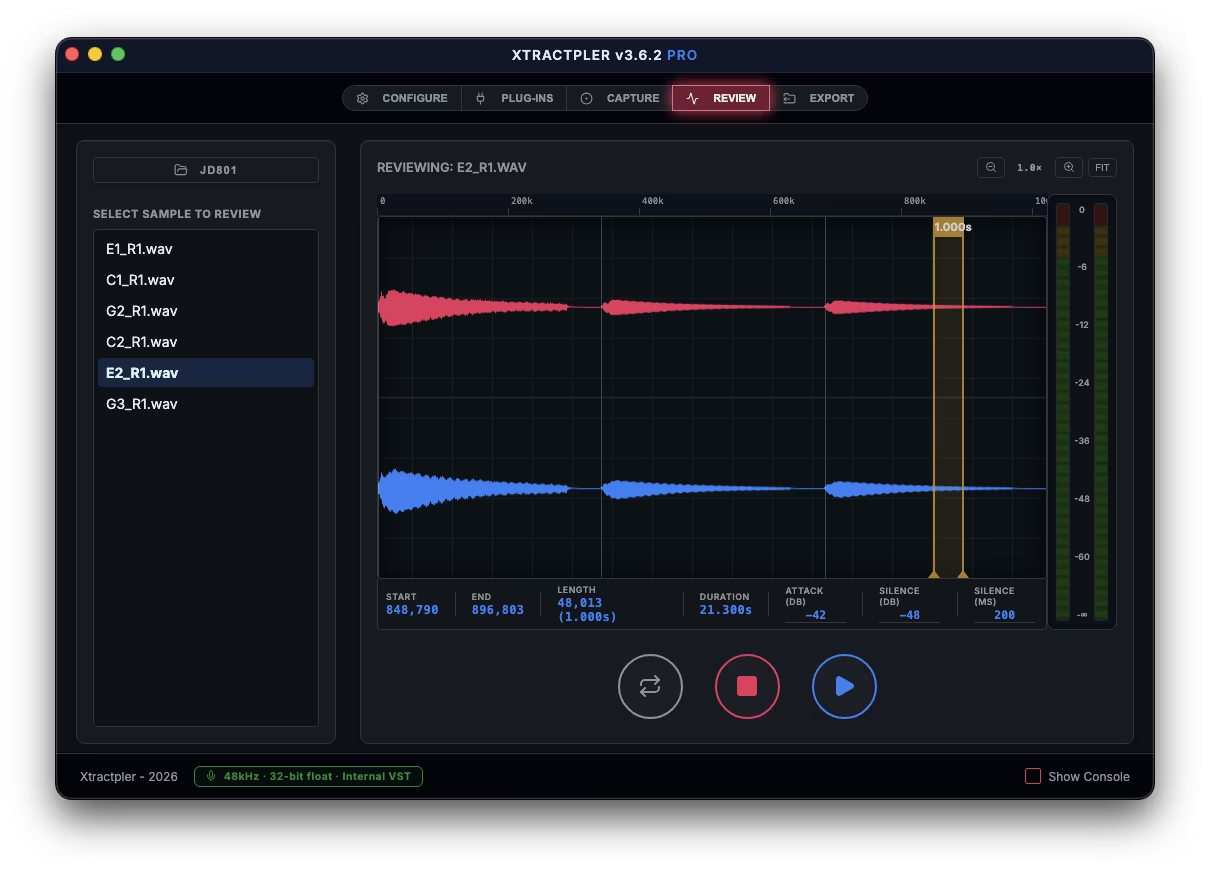
A redesigned dual-band display shows the left channel (top) and right channel (bottom) simultaneously — live during capture and interactively in the Review tab.
Auto-Loop Export
Xtractpler calculates seamless loop points, applies a crossfade, and writes loop metadata directly into your exported presets. One click — perfectly looping pads and keys in every format.
Dynamic Audio Routing
Total control over which hardware input channels, sample rate (up to 96 kHz), and recording format (32-bit float, 24-bit, 16-bit) Xtractpler uses — per session, per capture mode.
12+ Export Formats
Standard license covers Decent Sampler, Ableton Sampler, Bitwig, Sitala, and SFZ. Pro adds Logic Pro EXS24, Ableton Drum Rack, Akai MPC, Hydrogen, Studio One, Elektron, and Roland SPD-SX PRO.
32-bit Float / 96 kHz
Choose between lossless 32-bit float, 24-bit, or 16-bit WAV at sample rates up to 96 kHz. A persistent footer badge keeps your active quality settings visible at all times.
Session Safety
Overwrite protection before any capture, Capture Path Lock so renames never break your session, and a real-time footer alert bar for status, warnings, and confirmations.
In-App Pro Upgrade
Unlock all Pro & Hardware formats instantly from inside Xtractpler — no re-download, no reinstall. File → Upgrade to Pro or Cmd/Ctrl+Shift+U.
Fully Cross-Platform
Native builds for macOS (Apple Silicon), Windows 10/11, and Linux — same five-tab workflow everywhere. All .xcfg projects from v3.0 are fully compatible.
System Requirements: Windows 10, 11
Quick check before we show the links
Helps us keep automated scrapers from hammering the filehosts.