SharePoint: Creating Communication Sites
This post was published 7 years ago. Download links are most likely obsolete. If that's the case, try asking the uploader to re-upload.
MP4 | Video: h264, 1280x720 | Audio: AAC, 48 KHz, 2 Ch
Genre: eLearning | Language: English + .SRT
Level: Intermediate | Duration: 1h 56m | 321 MB
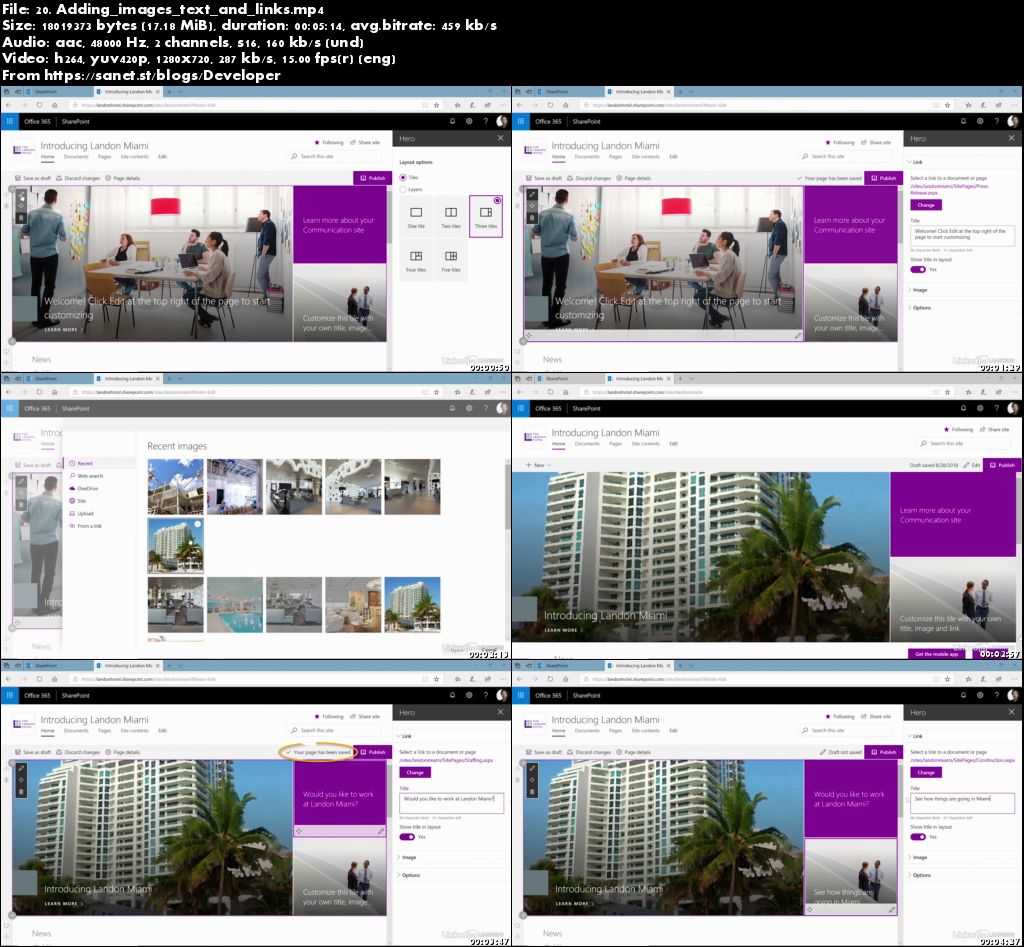
SharePoint communication sites bring the power of a wiki to your SharePoint portal. With communication sites, any SharePoint user can create visually engaging, data-rich pages that communicate key information, documents, and interactive content to the company, bringing all of your essential communication into one central place. In this course, Shari Oswald walks through all the most used options of SharePoint communication sites, and shows you how to customize your site to fit your company's requirements and branding. Learn how to add internal and external content and web parts, including Hero, Content, Communication, Collaboration, Media, and Reporting web parts, and then share your site with your organization.
Topics include
Creating a new communication site
Customizing the theme
Adding SharePoint pages
Adding web parts
Including lists and libraries
Adding images and video
Sharing reports
Embedding maps, weather, and social media feeds
Sharing your SharePoint communication site
Screenshots
Quick check before we show the links
Helps us keep automated scrapers from hammering the filehosts.