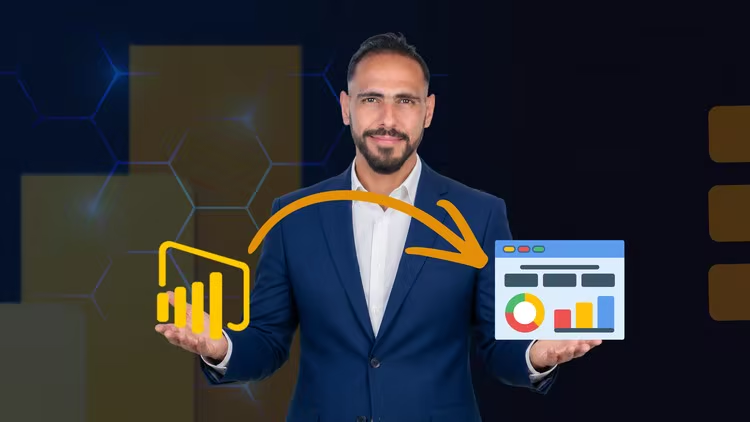
Power BI Masterclass: From Zero to Intermediate – Build Prof
Published 6/2026
MP4 | Video: h264, 1920x1080 | Audio: AAC, 44.1 KHz, 2 Ch
Language: English | Duration: 1h 31m | Size: 2.08 GB
Learn Power BI from Scratch: Data Loading, Power Query, DAX, Charts & Interactive Dashboards
What you'll learn
Connect to and load data from multiple sources
Clean, transform, and prepare data using Power Query
Create diverse visualizations and interactive dashboards
Write basic DAX formulas for calculations and measures
Requirements
No Prerequisites Required! This course is designed specifically for absolute beginners from scratch (from level 0 to intermediate level). You do not need any prior experience with Power BI or data analysis.
Description
Are you ready to master Power BI and transform raw data into stunning, interactive dashboards that drive business decisions? This comprehensive course takes you from absolute beginner (level 0) to intermediate level, giving you all the practical skills you need to become confident in Power BI.
What You'll Learn
In this hands-on course, you'll master
-Connecting to Multiple Data Sources: Learn how to load data from Excel, CSV, SQL databases, web sources, and cloud services using different loading methods
-Data Cleaning with Power Query: Master essential data transformation techniques including removing duplicates, handling missing values, changing data types, text manipulation, filtering, sorting, and shaping your data for analysis
-Creating Diverse Charts & Visualizations: Build professional charts including bar charts, column charts, line charts, pie charts, scatter plots, tables, and slicers to tell compelling data stories
-Basic DAX Formulas: Learn fundamental DAX functions to create calculated columns and measures (SUM, AVERAGE, CALCULATE, FILTER, RELATED) that enable dynamic, interactive analysis
-Building Interactive Dashboards: Design beautiful, professional dashboards with filters, drill-downs, bookmarks, and dynamic visualizations that respond to user interactions
Why This Course?
This course is specifically designed for beginners who have never used Power BI before. No prior experience in Excel, programming, or DAX is required. You'll start from the very beginning and progress step-by-step with practical, real-world examples.
Each concept is taught through hands-on demonstrations, and you'll practice with actual datasets so you can immediately apply what you learn to your own work or projects.
Who Is This Course For?
- Absolute beginners to Power BI who want to start from scratch
- Data analysts and business analysts who need Power BI for their jobs
- Excel users ready to upgrade to a more powerful business intelligence tool
- Students and career changers entering data science or business analytics
- Small business owners who want to track their KPIs professionally
- Marketing, finance, and operations professionals who work with data
- Freelancers who want to offer Power BI services to clients
What You'll Get
- Complete Power BI Desktop installation and setup guide
- Step-by-step video tutorials with screen recordings
- Practice datasets for hands-on exercises
- Real-world dashboard projects you can add to your portfolio
- Downloadable resources and cheat sheets for Power Query and DAX
- Lifetime access to all course content and updates
By the End of This Course, You Will Be Able To
- Connect to and load data from multiple sources (Excel, CSV, SQL, web, cloud)
- Clean and transform data efficiently using Power Query
- Create various charts and visualizations to communicate insights
- Write basic DAX formulas for calculations and dynamic measures
- Design professional, interactive dashboards for stakeholders
Power BI is one of the most in-demand skills in the job market today. Employers and clients are actively looking for professionals who can turn data into actionable insights. This course gives you the complete foundation you need to stand out.
Enroll now and start your journey to becoming a Power BI professional!
Who this course is for
This course is designed for beginners to intermediate learners who want to master Power BI from scratch and build professional data dashboards. The following learners will find this course most valuable: **Target Audience:** | Audience Group | Why This Course Is For Them | |----------------|----------------------------| | Absolute Beginners to Power BI | You've never used Power BI before or just know the basics. This course starts from zero and guides you step-by-step through data loading, cleaning, visualization, and dashboard creation. | | Data Analysts & Business Analysts | You need Power BI for your job to analyze data, create reports, and build dashboards for stakeholders. This course gives you practical, work-ready skills. | | Excel Users Wanting to Level Up | You're comfortable with Excel but ready to move to a more powerful business intelligence tool. You'll learn how Power BI surpasses Excel for data visualization and automation. | | Students & Career Changers | You're studying data science, business analytics, or computer science, or you're switching careers into data-related fields. Power BI is a highly sought-after skill in the job market. | | Small Business Owners & Entrepreneurs | You want to track your business metrics, sales, and KPIs with professional dashboards without hiring expensive consultants. | | Marketing & Finance Professionals | You work in marketing, finance, operations, or any department that deals with data and needs to create reports and presentations with visual insights. | | Freelancers & Consultants | You want to add Power BI services to your portfolio and offer dashboard creation and data analysis services to clients on platforms like Upwork or Fiverr. | **Who Should NOT Take This Course:** - Advanced Power BI users who already master DAX, data modeling, and complex dashboard design (this course covers beginner to intermediate level) - People looking for deep machine learning or Python programming (this course focuses on Power BI specifically) **Perfect If You:** - Want to learn Power BI from zero to intermediate level - Need to create data visualizations and dashboards for work or study - Want to transform raw data into actionable business insights - Are ready to practice hands-on with real-world examples - Want to add a valuable, job-ready skill to your resume/CV This course gives you the complete foundation in Power BI that employers and clients are looking for.
Quick check before we show the links
Helps us keep automated scrapers from hammering the filehosts.