iLock 3.0.2 Multilingual macOS
This post was published 5 years ago. Download links are most likely obsolete. If that's the case, try asking the uploader to re-upload.

Languages: Multilingual | File Size: 11.5 MB
iLock password protects any application to prevent unwanted visitors from launching your applications.
Easy To Use
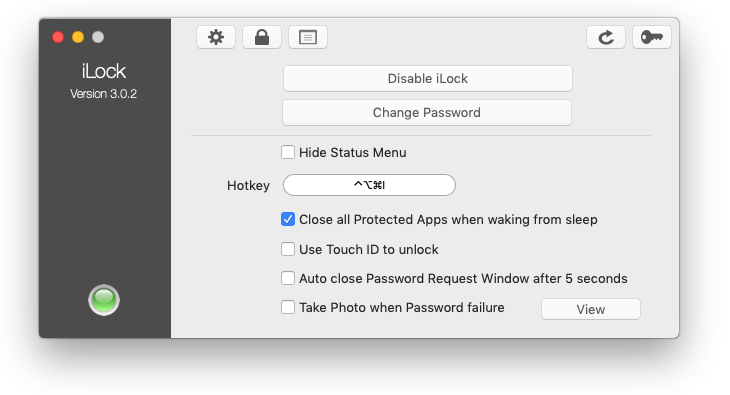
iLock is very easy to use. Select any application you want to protect by drag'n'drop. After doing this, choose a password. The selected apps are now password protected.
Background Process
iLock is a background process and does not use any system resources.
Touch ID support
Use Touch ID to unlock applications.
Security
Using AES encryption schemes. No-one can launch a protected app without knowing the password.
Logging
Keep track when someone tries to start your protected apps.
Capture Photos
See who tried to launch your protected applications with failed attempts.
Hot Key Access
Create a custom Hot Key to reveal iLock
RELEASE NOTES
- iLock is now compatible with macOS 10.15
- Fixed issue creating photos.
- Fixed issue showing the evidence photos.
- Fixed several GUI glitches.
- Fixed issue enabling ‘Use Touch ID to unlock’.
- Improved logging information.
Interface languages: English, 中文, Deutsch, Ελληνικά, Español, Français, Hrvatski, 日本語, Magyar, Nederlands, Português, Русский.
System Requirements
OS: macOS 10.11 - 10.15
Screenshots
Homepage
Quick check before we show the links
Helps us keep automated scrapers from hammering the filehosts.