Portable Infagraph PRO 1.0
This post was published 10 years ago. Download links are most likely obsolete. If that's the case, try asking the uploader to re-upload.
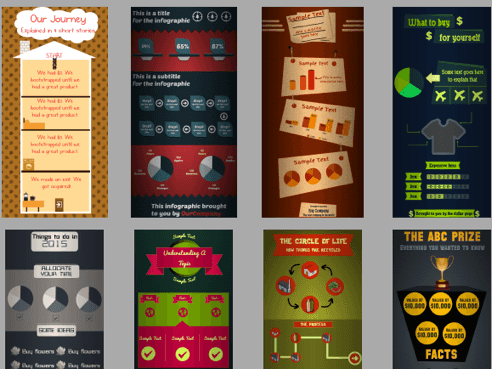
Portable Infagraph PRO 1.0|Windows(x86/x64)|rar|58.3 mb
Infagraph Create Stunning Infographics FAST
Attention!
Dear users! We do not forget about our rights holders!
All portable assembly, designed exclusively for the promotion of the software and can be used for informational purposes only!
After testing the program and decide on the usefulness and necessity of you, this software - you are required! remove the assembly and turn to the developer, to purchase a license for a full version. Good luck!
Infagraph makes it simple to create infographics. We've simplified the interface as much as possible without sacrificing power. Less clutter and less clicks will allow you to be more productive in making infographics. Infagraph not only provides numerous themes, but gives you the tools to create your own custom infographics from scratch.
Build your infographics with Infagraph We've covered Infographic tools in previous posts, but here's another one to add to your list – Infagraph.
There are two basic things you can add to your page: Shapes and Images.
Shapes are readily available from the left pane. Shapes are customizeable objects that are well-suited for infographics. Some shapes have control points that you move to adjust shape geometry. Shape properties can be adjusted using the properties bar, which is shown when you click a shape.
Images are available from the left pane. Both SVG and PNG images are supported. Infagraph provides you with an Image Library of over 13,000 high quality images and icons that are suitable for infographics. That's a lot!. There are three ways to add images to your infographic: a) by pressing the "Insert Images..." button or pasting b) taking a screenshot c) dragging an image from the pre-loaded Image Library.
Here are some ways to customize images:
Image Colorize: You can colorize an image to suit your theme. The colorize slider let's you control how light or dark the colorize effect. The right-most side is the darkest and the left-most the lightest.
Image Tally: You can tally an image. This is better than copy/pasting several times. Fractions can be specified, and the image can be colorized prior to the tally.
Image Slice: You can slice an image. This is useful if you want to show a percent breakdown of something. For example, the percentage of people who drive cars might have an image of a car sliced.
Image Flip and Circle: You can flip images horizontall and vertically. And, with one click, you can crop an image to a circle, which looks nifty. You can add a border effect if you please.
Text
You can add text to a shape or image by double-clicking. This will start Edit mode. Text formatting of individual characters can be changed with the font toolbar. If not in Edit mode, changes are applied to the entire text.
NEW
You can choose from over 200 categorized fonts.
Effects
Infagraph provides you with several effects. Effects can be applied to shapes and images. To open the Effects window, click on 'Fx' in the properties toolbar. If you modify an effect, a red circle with an 'X' appears. This is to make it easy to see which effects are active. You can deactivate/reset an effect by click the circle.
Infographic Properties
You can change properties that affect the entire infographic with the Properties toolbar, which is conveniently available at the top of the application. Some properties include the darken-edges effect, background color, background texture and infographic size.
Saving and Opening
When you save an infographic, all your shapes and images are preserved in a vector format with the extension '.infagraph'. In order to publish your infographic, you would need to export it to a PNG. There are two options: a) export without alpha, which exports the infographic exactly how it appears b) export with alpha, which ignores the background color and sets it to transparent before exporting.
Homepage
System Requirements
IBM or compatible Pentium/AMD processor (900 MHz or greater), 512 MB RAM or greater. 1024 x 768, 16-bit display (32-bit recommended)
Windows XP, Windows Vista all SP, Windows 7
Language English
Download :Portable (Size:58.3 mb)