COMSS Boot USB 2017.09
This post was published 8 years ago. Download links are most likely obsolete. If that's the case, try asking the uploader to re-upload.

File Size: 5.07 Gb
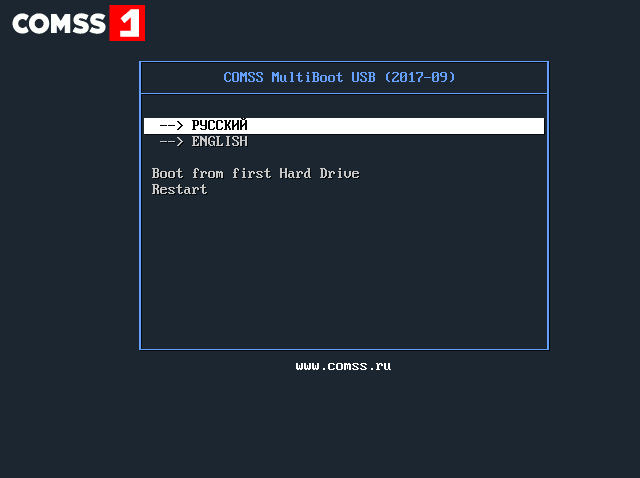
Bootable USB flash drive which contains 12 anti-virus scanners for testing and treatment of computers and laptops. Also, there are utilities to check RAM and hard disk and manage partitions of the disk.
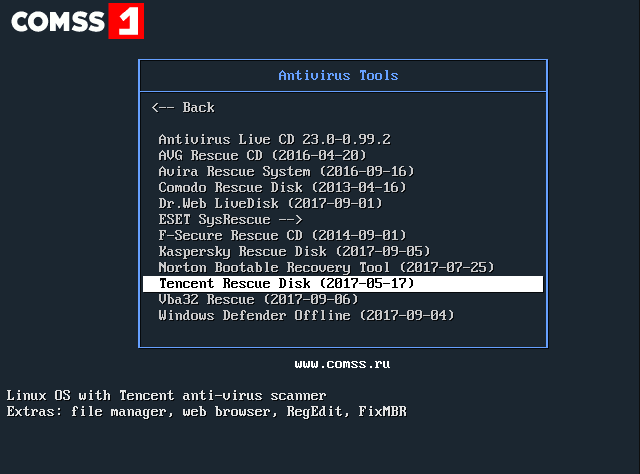
Antivirus Included
• Antivirus Live CD 23.0-0.99.2 — console anti-virus scanner ClamAV (requires Internet connection to download the virus database).
• AVG Rescue CD (2016-04-20) — virus scanner AVG from file Manager, Registry Editor, TrueCrypt, FixMBR, TestDisk. Supported the update of the virus database via the Internet.
• Avira Rescue System (2016-09-16) — OS Ubuntu anti-virus scanner Avira, file Manager, web browser, Gparted, RegEdit. Supported the update of the virus database via the Internet.
• Comodo Rescue Disk (2013-04-16) — Linux Comodo anti-virus scanner, file Manager and web browser. Supported the update of the virus database via the Internet.
• Dr. Web LiveDisk (2017-09-01) — OS Linux antivirus scanner.Web file Manager and web browser. Supported the update of the virus database via the Internet.
• ESET SysRescue 5 — OS Linux antivirus scanner ESET SysRescue 5 (English version), file Manager, web browser, Gparted. Supported the update of the virus database via the Internet.
• ESET SysRescue 4 — Linux antivirus scanner ESET SysRescue 4 (Russian version), file Manager, web browser. Supported the update of the virus database via the Internet.
• F-Secure Rescue CD (2014-09-01) — virus scanner F-Secure. Supported the update of the virus database via the Internet.
• Kaspersky Rescue Disk (2017-09-05) — OS Linux antivirus scanner Kaspersky, file Manager, web browser, RegEdit. Supported the update of the virus database via the Internet.
• Norton Bootable Recovery Tool (2017-07-25) — OS Linux antivirus scanner, Norton file Manager and web browser. Supported the update of the virus database via the Internet.
• Tencent Rescue Disk (2017-05-17) — Linux with Tencent anti-virus scanner, file Manager, web browser, RegEdit FixMBR.
• Vba32 Rescue (2017-09-06) — the console scanner Vba32 antivirus.
• Windows Defender Offline (2017-09-04) — virus scanner Windows Defender Offline. Supported the update of the virus database via the Internet.
System Utilities
• Offline NT/2000/XP/Vista/7 Password Changer — password reset operating systems Windows NT/2000/XP/Vista/7.
• memtest86+ 5.01 — checking RAM for errors.
• Victoria 3.52 — check hard disk for errors.
• GParted live 0.29.0-1-i686 — work with hard disk partitions (create, modify, delete).
Installation Instructions
• Format USB device in FAT32 (use standard Windows tools).
• Copy the contents of the ISO image (3 folders and 7 files) on the USB device.
• Run the file CREATE_BOOT_USB.bat on the USB device.
• In the console window, enter the drive letter of the USB device and press ENTER.
• Following the instructions of the console, press any key and wait until the loader will not be installed.
• Press any key to exit the console. Bootable USB device is ready.
Screenshots
What's New
• official site does not provide any info about changes in this version
OS: Windows XP / Vista / 7 / 8 / 8.1 / 10 (x86-x64)
Language: English, Russian
Checksums
MD5: 4aa93a4357612b77c5391b9c1950ad84
SHA1: 51a560cd617878ae9e5221df194791b78898ba92
Homepage
Quick check before we show the links
Helps us keep automated scrapers from hammering the filehosts.