Portable GridinSoft CHM Editor 3.1.2.418
This post was published 4 years ago. Download links are most likely obsolete. If that's the case, try asking the uploader to re-upload.
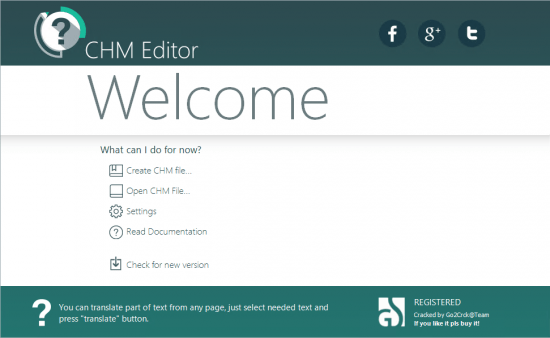
Portable GridinSoft CHM Editor 3.1.2.418|Packed in VMware ThinApp|Windows(x86/x64)|rar|65 mb
CHM Editor is a handy WYSIWYG editor which can be used for editing and translating CHM files.
Attention!
Dear users! We do not forget about our rights holders!
All portable assembly, designed exclusively for the promotion of the software and can be used for informational purposes only!
After testing the program and decide on the usefulness and necessity of you, this software - you are required! remove the assembly and turn to the developer, to purchase a license for a full version. Good luck!
Work on Windows 10 is POSSIBLE, BUT NOT GUARANTEED!
Release Notes
You can translate your e-Books in CHM format easily and quickly. Besides, this is perfect tool for localization your CHM Help files. You can solve several tasks at once by using CHM Editor: This is a powerful tool for editing CHM, you can change and save chm file without downloading any additional tools or editors. Because the software may include Help File in an unknown language to you, it could lead to difficulties, and sometimes impossible to use the program you need. The CHM editor handles the problem with one click on the mouse! You get a translated document with the same formatting as in the original language. For translation you can choose one of the internet services the program works with. There are tens of languages available for translation.
The CHM Editor is an excellent choice for people who deal with electronic documentation, have difficulties in using programs with CHM Help File in a foreign language, for professional translators, and those, who collect an electronic library. The program is an efficient tool that everyone should have on their PC!
With the CHM Editor you will be able to tackle several tasks simultaneously:
- This is a powerful tool for editing CHM, you can change and save chm file without downloading any additional tools or editors.
- It allows you translate any chm-file using one of available translation services
Release New
Whats New:
Official site does not provide any info about changes in this version
Homepage
System Requirements
- Restrictions: It does not correspond to the tablet mode.
- CPU: Intel® Pentium 4 or later / AMD Athlon 64 or later (900 MHz or greater)
- (64bit support recommended)
- Memory: 4GB or more (Recommend 8GB or more)
- HDD: 10GB or more of free disk space
- Display: XGA (1,024x768), Full Color (24 bit or higher), 16-bit display (32-bit recommended)
Windows XP, Windows Vista all SP, Windows 7, Work on Windows 10 is POSSIBLE, BUT NOT GUARANTEED!
Language Multilanguage(Russian English)
Quick check before we show the links
Helps us keep automated scrapers from hammering the filehosts.